Product
Declarative pipelines, one-command AWS bootstrap, built-in safety mechanisms, AI agent integration, and pipeline health metrics. The CI/CD platform built for both humans and AI agents.
Overview
Dev Ramps replaces the patchwork of CI tools, deployment scripts, and infrastructure automation you've built yourself.
High-level architecture diagram showing: Developer pushes code → Dev Ramps (Pipeline execution, Infrastructure management, Deployment orchestration) → Multiple AWS Accounts (Dev, Staging, Prod) with monitoring and audit logging
Declarative Pipelines
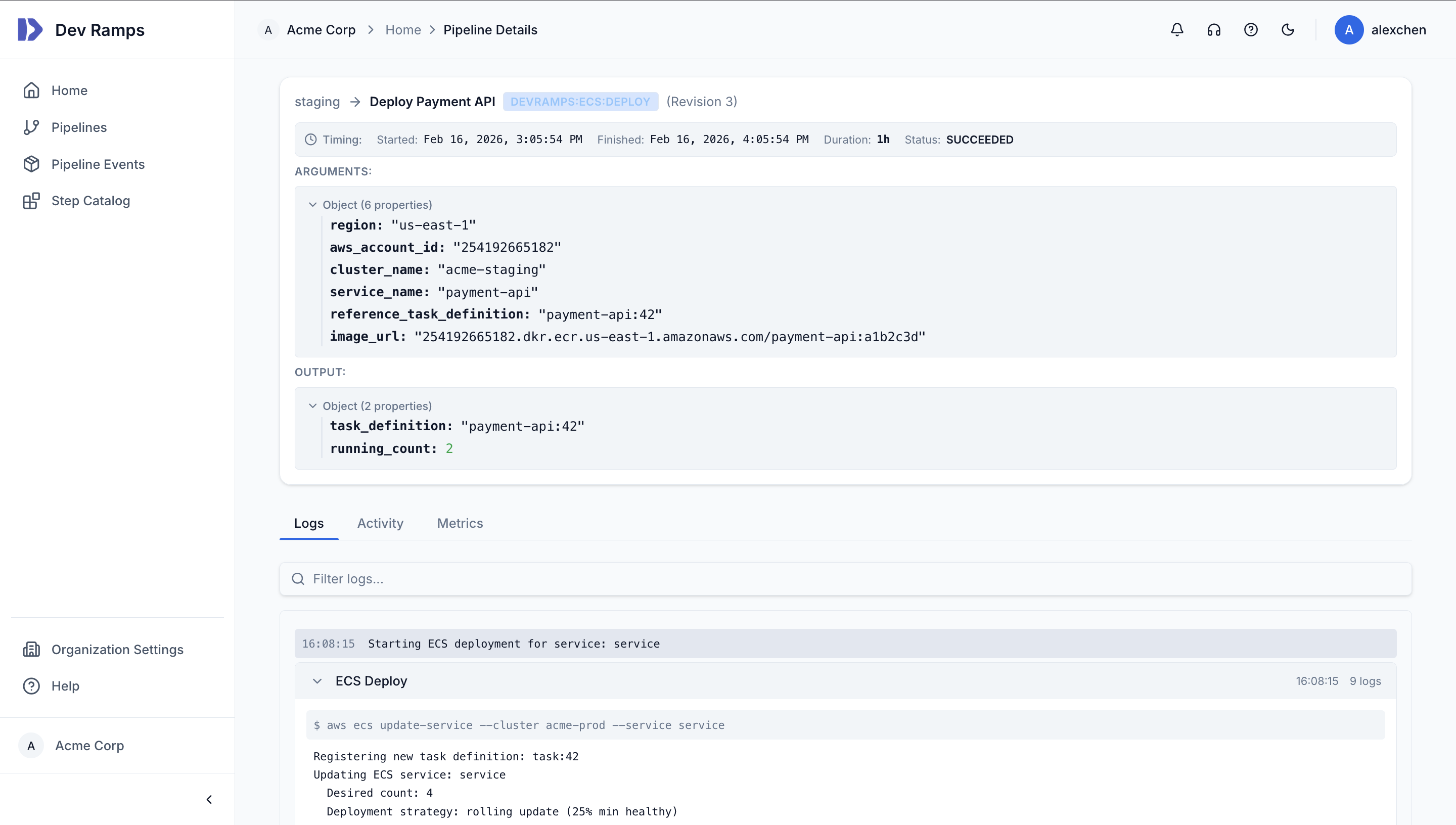
Write a single YAML file that describes your stages, steps, and artifacts. Dev Ramps handles building containers, orchestrating Terraform, deploying to ECS/EKS/CodeDeploy, and managing rollouts across accounts.
AWS Account Bootstrap
Our CLI bootstraps least-privilege IAM roles across your existing AWS accounts — no manual CloudFormation, no credential management. Environment isolation with cross-account IAM handled correctly.
npx @devramps/cli bootstrapAWS Organization structure diagram showing: Management Account at top, then OUs for different environments (Development, Staging, Production), each containing isolated AWS accounts with VPCs
Deployment Safety & Governance
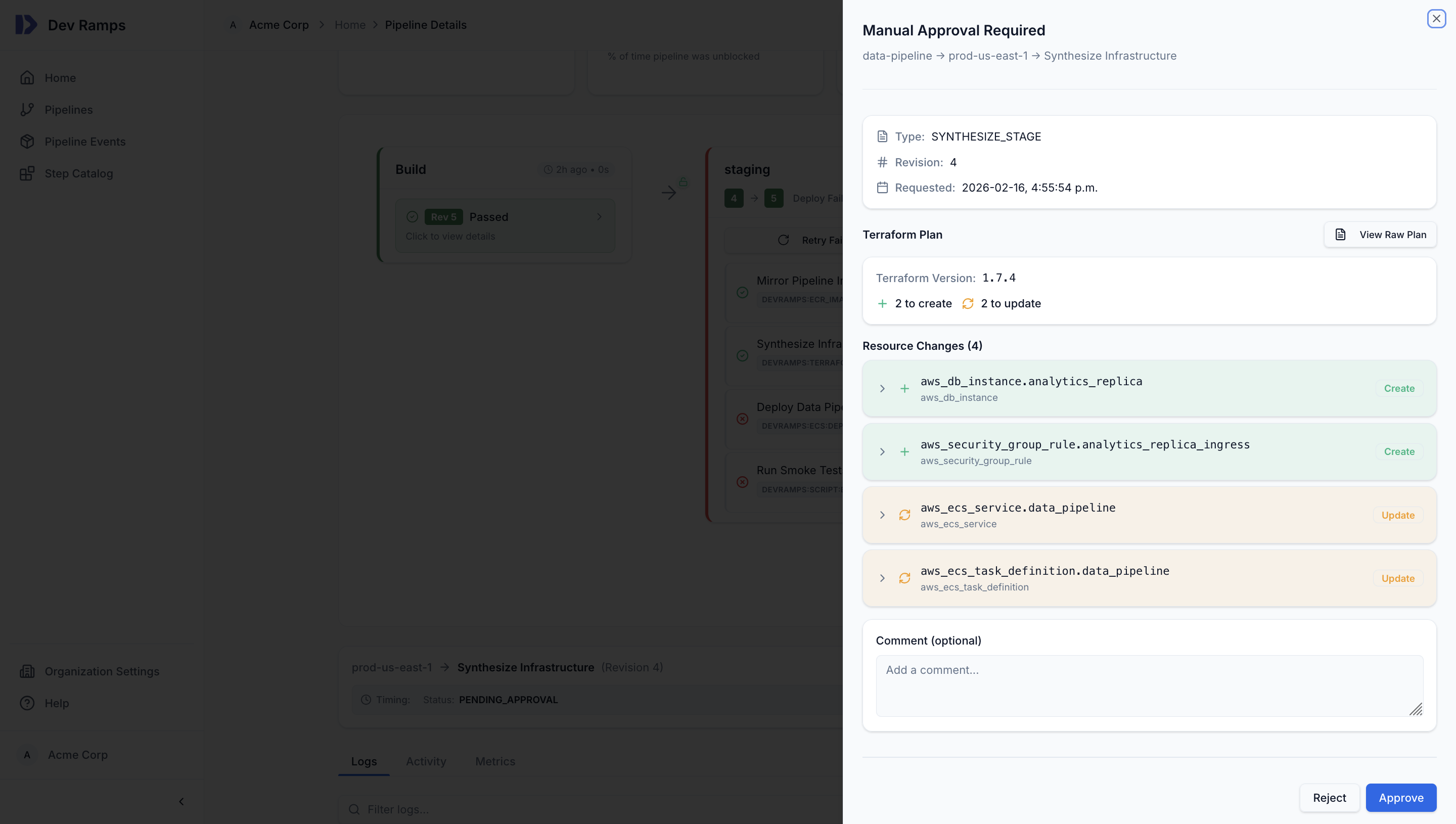
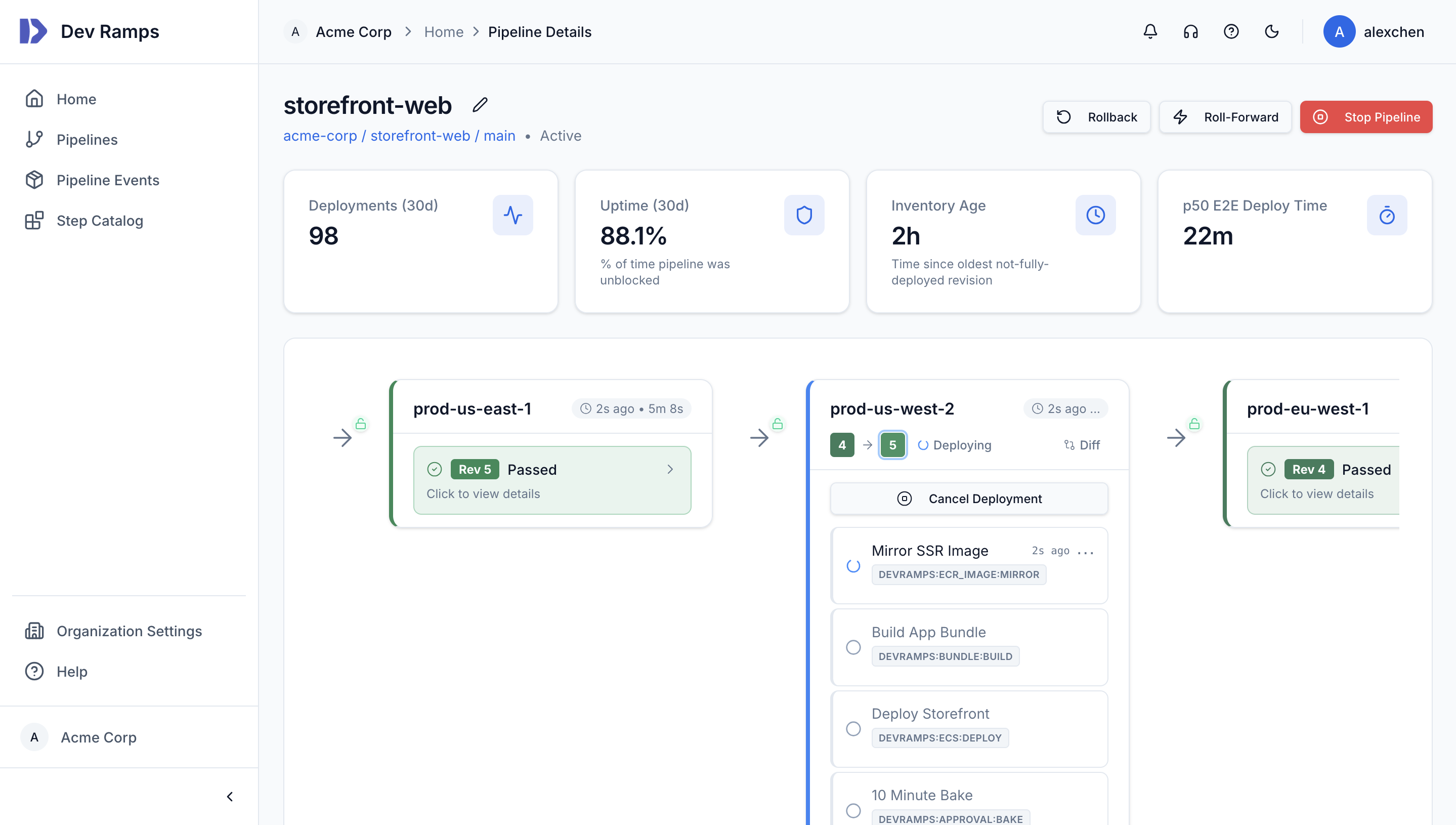
Every deployment includes the safety mechanisms mature platform teams spend months building. Rollbacks, bake times, deployment time windows, CloudWatch alarm-triggered auto-rollback, and approval gates — all configurable, all built in.
Pipeline Health Metrics & Auditability
Track the metrics engineering leaders actually care about. P50 end-to-end deploy time, % time blocked, inventory age, and slowest deployments — all surfaced in a single dashboard. Plus complete audit trails for compliance.
AI Agent Integration
AI agents are writing production code, but they lack the ability to deploy and verify their changes against real infrastructure. Dev Ramps bridges this gap with ephemeral environments — isolated AWS environments that agents can claim, deploy to, validate, and release on demand.
# Define ephemeral environments for agents ephemeral_environments: agent-env: account_id: "222222222222" region: us-east-1 # Agent lifecycle: # 1. Claim environment → get session # 2. Deploy commit → full pipeline runs # 3. Verify changes → read logs, check status # 4. Iterate or release → deploy again or free env
Agent Workflow
A complete deploy-verify-iterate loop that any AI agent can drive through a standard tool interface.
The agent claims an available ephemeral environment, getting an isolated AWS account to deploy into. Session-based locking prevents contention between agents.
The agent deploys a commit and monitors the full pipeline — Terraform, container builds, ECS deployment. It reads real-time logs and step status to verify success.
If something fails, the agent can fix the code, deploy again, and re-verify. When done, it releases the environment for the next session.
Integrations
Connect your repositories, receive notifications where your team works, and integrate with your existing observability stack.
Capabilities
Securely inject secrets into infrastructure and runtime environments. Integrated with AWS Secrets Manager with automatic rotation support.
On-demand isolated AWS environments for PR previews and AI agents. Agents claim, deploy, verify, and release. Automatic cleanup when sessions end.
Infrastructure changes show structured diffs before applying. Know exactly what will change before you approve.
When deployments fail, AI reads your logs and source code, identifies the root cause, and can auto-generate a fix PR to unblock your team.
Extend pipelines with the TypeScript SDK (@devramps/sdk-typescript). Build custom deployment steps for the last mile of your environment.
Standard tool interface for AI agents to manage deployments — claim environments, deploy commits, read logs, and monitor pipeline status programmatically.
Deploy to multiple AWS regions with region-specific configuration. Built-in support for active-active and disaster recovery patterns.
Production-grade AWS deployments in minutes, not months. First deployment in under 15 minutes.